|
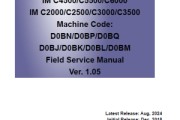
IM C2000_C2500_C3000_C3500_C4500_C5500_C6000_Sửa chữa hướng dẫn sử dụng _V1.05 082624 Tiếng Anh Phiên bản mới nhất IM C4500/C5500/C6000 IM C2000/C2500/C3000/C3500 Machine Code: D0BN/D0BP/D0BQ D0BJ/D0BK/D0BL/D0BM Field Service Manual Ver. 1.05
Because there is a danger of burns on contact with hot parts of the fusing unit, start work when the temperature drops to a low enough temperature. To clear SC544-02 or SC554-02, replacing the fusing unit or installing a fuse (provided in the fusing sleeve belt unit) in the fusing unit must be required. Refer to "How to cancel SC544-02/SC554-02 with a new unit detection fuse" in "Fusing Sleeve Belt Unit". Clearing SC544-02 or SC554-02 when Replacing the Fusing Unit 1. Install the new fusing unit. (The machine detects the new unit, so a unit previously installed on another machine cannot clear SC544-02 and SC554-02.) 2. Execute SP5-810-002 [SC Reset: Hard High Temp. Detection]. *SP5-810-002 [SC Reset: Hard High Temp. Detection] is a new SP. 3. The fusing unit features the new unit detection function, so it is not necessary to reset the PM counter manually when replacing the fusing unit and dust filter together. The dust filter’s PM counter will also be reset. When replacing only the fusing unit, perform SP3-701-116 [Manual New Unit Set: #Fusing Belt]. Tài liệu được chia sẻ qua Baidu Drive: IM C2000_C2500_C3000_C3500_C450_C5... Liên kết: https://pan.baidu.com/s/15FSbqkgcK73n5sSSwu4NqA Mã sản phẩm: WCEF |
Địa chỉ của bài viết này:https://www.073868.com/post/4190.html
Tuyên bố bản quyền:
Vui lòng gửi e-mail: weixiuwang68@qq.com