|
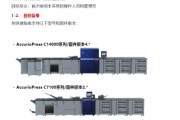
Câu hỏi: Một số tệp PDF của khách hàng được nhập vào máy chủ thông qua CWS Import, sau khi RIP trang đầu tiên trở thành giấy trắng, những người khác bình thường. Lưu ý: PDF là tài liệu được ghép nối với Quite Imposing Plus 3.0. Nguyên nhân: C75Bustled bug Giải pháp: Cài đặt C75Bustled_V1.0_SP3 Ghi chú: 1. Bản vá SP3 không đề cập đến việc giải quyết vấn đề này. SPAR Release SPAR # Description Side edge of output is deleted more than spec (3mm). Any file sent to the Fiery with a % followed by “S” in the file name causes the Fiery to EXIT. Unable to assign mixed media grayscale pages with composite overprint enabled. Printing landscape jobs from Corel X6-64 bit on Win x64 with more than 1 page causes the 2nd page to print rotated 90 degrees. Fiery is unable to pull custom stock name from tray5. Patch to address missing page issue when imposed on 315X468 mm sheet. 2. Phương pháp vá lỗi cài đặt máy chủ phía sau và lưu ý: 1. Import the patch file Integrated C75_1.0_SP3.ps with Command Workstation to the Direct queue. 2. You must wait at least 60 seconds after importing the patch file before rebooting the system. This will ensure the patch file is completely processed. 3. From Command Workstation, select Server >Reboot Server. The Fiery will reboot. 4. Wait until the Fiery has come to idle and print out the configuration page. 5. Verify the Update Info section. It should contain the patch number SP3. |
Địa chỉ của bài viết này:https://www.073868.com/post/2616.html
Tuyên bố bản quyền:
Vui lòng gửi e-mail: weixiuwang68@qq.com
Nhãn: #C75 #Máy chủ #Giấy trắng